# Dispatching events

From an Event Details page, click on the green Dispatch button to dispatch the event flight and make it available in smartCARS 3.

[![image.png](https://kb.canadaairvirtual.ca/uploads/images/gallery/2024-11/scaled-1680-/RXDimage.png)](https://kb.canadaairvirtual.ca/uploads/images/gallery/2024-11/RXDimage.png)

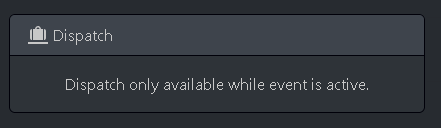
<p class="callout warning">An event flight can only be dispatched after the event start time and before the event ends. Outside of those hours, you will see a notice like this:  
[![image.png](https://kb.canadaairvirtual.ca/uploads/images/gallery/2024-11/scaled-1680-/S0yimage.png)](https://kb.canadaairvirtual.ca/uploads/images/gallery/2024-11/S0yimage.png)</p>
<p class="callout info">You can also [dispatch an event directly in smartCARS 3](https://kb.canadaairvirtual.ca/books/smartcars-3/page/dispatching-an-event).</p>